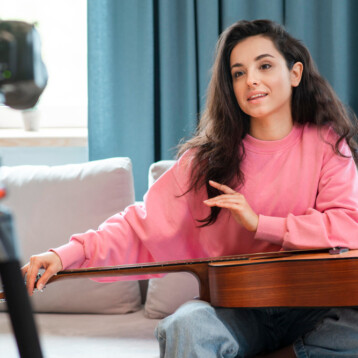
User-generated content works precisely because it doesn’t feel like an ad. A shaky camera angle, a slightly imperfect setting, a genuine reaction — these are the details that make UGC feel trustworthy in a way polished commercial content rarely does.
That’s exactly what makes AI-generated UGC such a tricky balance to strike. Push too far toward polish, and it stops feeling authentic. Fall short on quality, and it just looks rough rather than real.
Seedance 2.5 is an upgraded iteration of Seedance 2.0, designed to deliver better AI video quality, consistency, and creative control. Dreamina’s Seedance 2.5 model was built to land in that specific middle ground, producing content that genuinely reads human without looking like it was thrown together.
Why “authentic” is its own kind of hard to fake
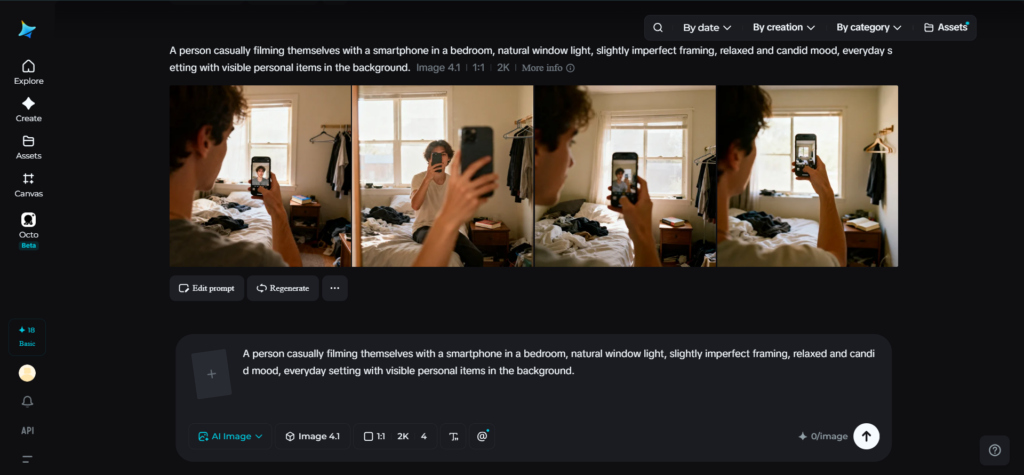
Authenticity in UGC isn’t the absence of quality — it’s a specific kind of quality that avoids looking staged. A genuine reaction has small imperfections in timing and expression. A casual setting has real clutter and real lighting, not a carefully arranged backdrop. Getting AI-generated content to hit that tone means avoiding two failure modes at once: looking too obviously synthetic, and looking too obviously polished in a way that reads as corporate rather than personal.
This is a genuinely different challenge from producing a commercial or brand video, where the goal is usually the opposite — as much visible polish as possible. UGC succeeds by feeling unscripted, and that quality is easy to accidentally undo the moment a video looks too smooth or too perfectly composed.
What helps Seedance 2.5 land a natural, unscripted feel
Seedance 2.5 approaches this by focusing on realism at the level of small physical detail, rather than pushing toward maximum visual polish by default.
Natural texture and motion instead of a synthetic sheen
The flat, overly smooth “AI look” that made earlier generated content easy to identify has been noticeably reduced, replaced with physical texture and movement that reads as genuinely captured rather than rendered. This matters enormously for UGC specifically, since that synthetic sheen is one of the fastest ways a video gets flagged as inauthentic by a skeptical viewer.
Complex, ordinary actions render convincingly
A wide range of long-tail actions — the small, specific movements that make up most real, unscripted behavior — now render smoothly instead of looking stiff or artificial. Reaching for a product, adjusting a camera angle mid-sentence, a casual gesture while talking — these are exactly the small human movements that used to break the illusion in earlier AI video.
Reference-based generation keeps a “real person” consistent
Uploading a photo gives the model a concrete anchor for how a creator should look throughout a video, and that consistency now holds up reliably even across multiple separate pieces of content. This matters for UGC-style campaigns where the same “creator” needs to appear believable and consistent across several videos, not just one.
Voice and tone stay coherent for a more natural delivery
Voice and tone consistency has improved, helping dialogue or narration feel steady and natural throughout a video, rather than shifting in a way that calls attention to itself. Motion transfer consistency has also climbed from roughly 70% to over 90%, supporting the kind of casual, natural gesture that UGC content depends on.

Create UGC-style content in three steps
Step 1: Write a detailed text prompt and add a reference image
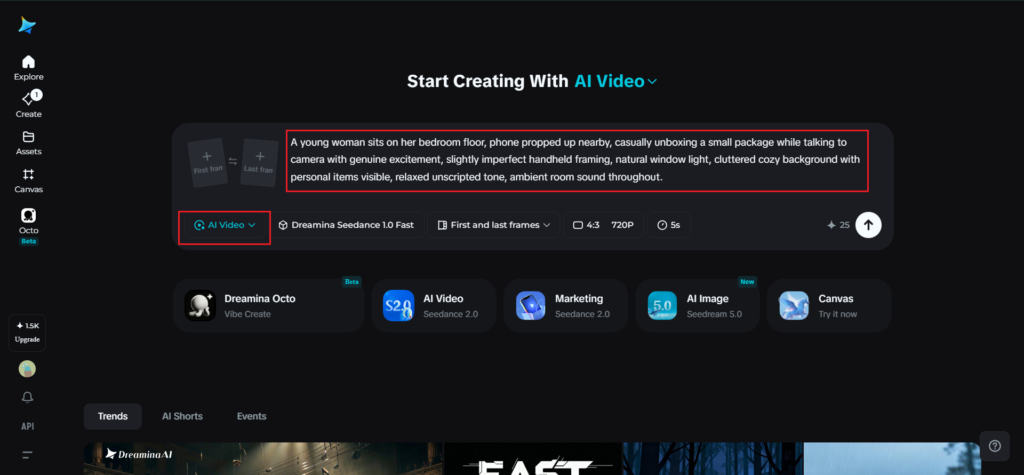
Visit Dreamina, sign in, and head to the “AI Video” section. Click “Add reference image” to upload a photo of the creator or presenter your content is built around. Then write a prompt describing a casual, natural setting and action, avoiding overly staged or polished direction.
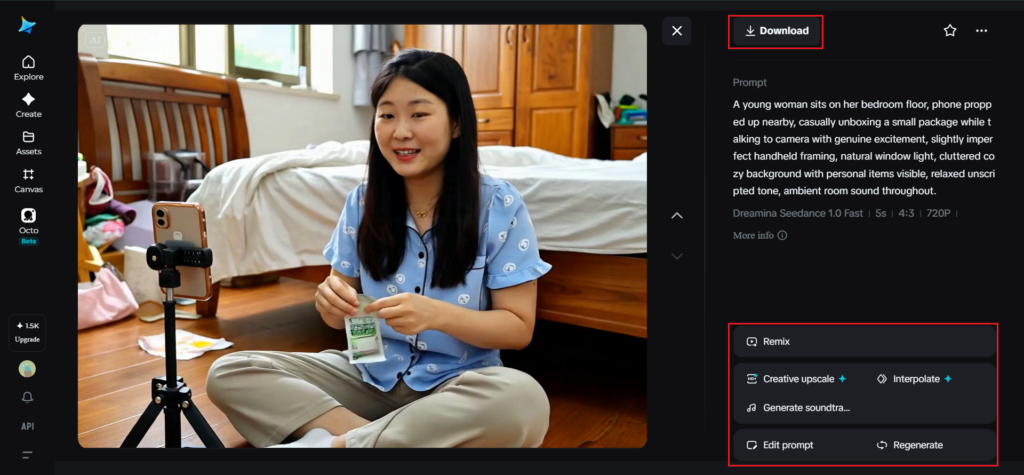
A detailed prompt for a 30-second sequence might read: A young woman sits on her bedroom floor, phone propped up nearby, casually unboxing a small package while talking to camera with genuine excitement, slightly imperfect handheld framing, natural window light, cluttered cozy background with personal items visible, relaxed unscripted tone, ambient room sound throughout.
Step 2: Choose parameters and generate
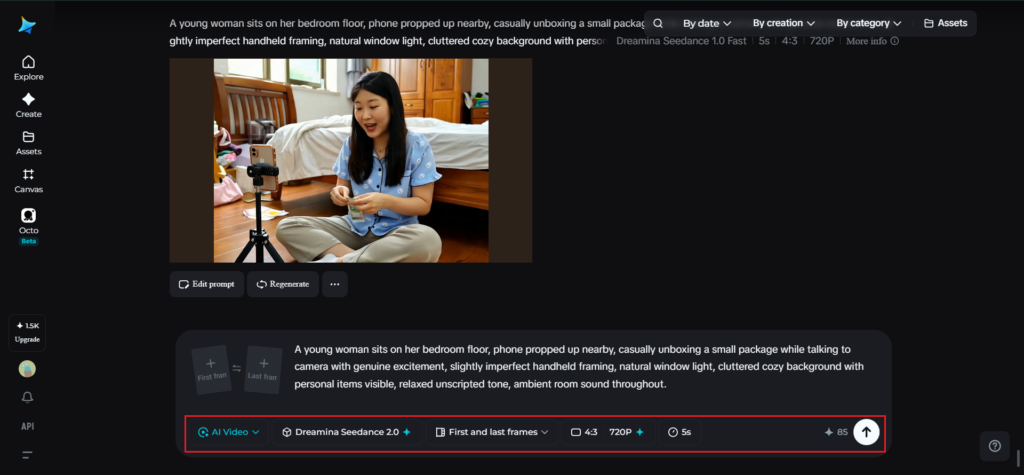
With your prompt and reference ready, select the Seedance 2.5 model for generation. Choose your video length, then pick an aspect ratio suited to the platform — 9:16 for TikTok, Reels, or Shorts. Click Dreamina’s generation icon and let it turn your prompt into footage that leans natural rather than overly polished.
Step 3: Edit and download
Once the video is generated, use Dreamina’s AI editing tools to make any small adjustments before saving, being careful not to over-polish the result. Upscale can sharpen resolution slightly without losing the casual feel, while Generate Soundtrack can add subtle background audio if it fits the setting. Once it’s ready, export the video and download it, ready to post wherever it’s headed.
Keeping the balance between real and rough
A few habits help UGC-style content land in the right zone. Describing imperfect, everyday details in the prompt — a slightly cluttered room, casual framing, an unscripted tone — tends to produce results that feel more genuine than a carefully composed scene.
Avoiding overly dramatic lighting or camera language keeps the tone appropriately low-key. And resisting the urge to over-edit the final result preserves the rougher, more human quality that makes UGC work in the first place.
Authenticity that still holds up
UGC has always worked because it doesn’t look like it’s trying too hard, which makes it one of the more paradoxical formats to recreate with AI — the goal isn’t maximum quality, but a very specific, believable kind of imperfection.
With Dreamina and its Seedance 2.5 model, that balance is achievable without an actual camera or a real, unscripted moment behind it, giving creators and brands a way to produce content that feels personal and trustworthy at a scale real filming rarely allows.