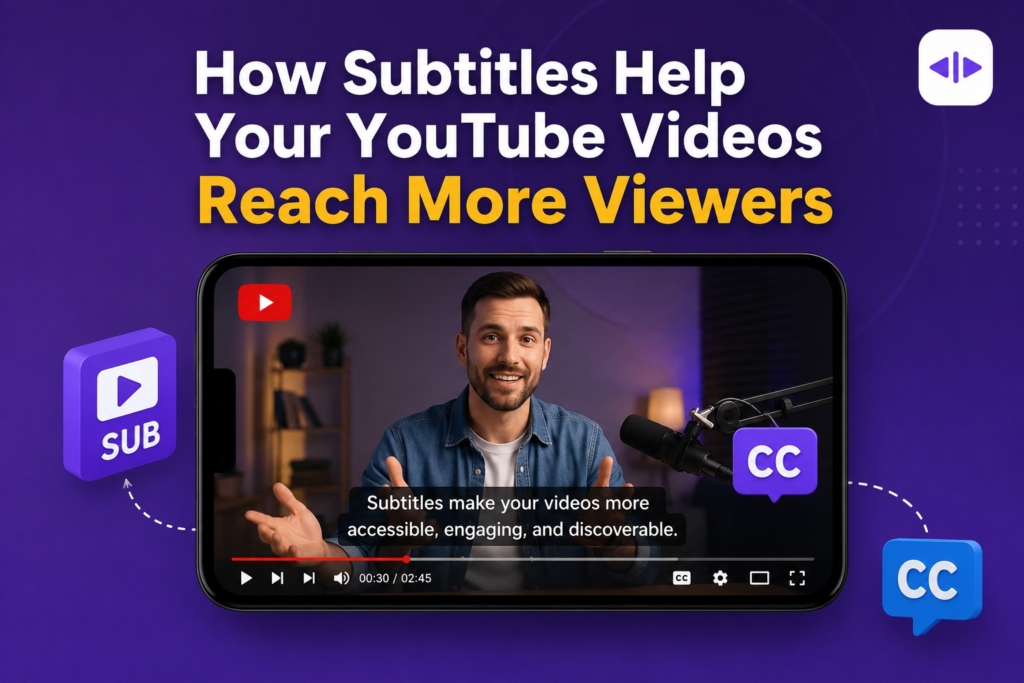
How subtitles help your YouTube videos reach more viewers comes down to one thing: they remove every barrier between your content and the person watching it. I’ve added subtitles to hundreds of videos across different channels, and the pattern is always the same. Watch time goes up, retention graphs flatten out, and comments start arriving from countries I never expected. Subtitles aren’t a small polish step you add before publishing. They’re a growth lever that touches accessibility, SEO, and growing your YouTube channel at the same time. This article breaks down exactly how, and where the impact is real versus overstated.
Why Subtitles Matter on YouTube
Viewing habits on YouTube have changed more than most creators account for. A large share of viewers watch on mobile devices, often in public places, on transit, or in bed next to someone who’s asleep. In every one of those situations, sound is off by default.
If your video depends entirely on audio to land the message, you’re losing a chunk of your audience before they ever hear a word.
Subtitles solve this instantly. A muted viewer scrolling through their feed can still read what you’re saying, decide it’s worth their time, and turn the sound on later or keep watching silently.
Subtitles also help with comprehension for viewers who aren’t native English speakers, viewers following along in a noisy environment, and viewers who process written and spoken language together more easily than audio alone.
None of this is a minor accessibility footnote. It’s the everyday viewing reality for a huge portion of your audience.
Do Subtitles Actually Increase YouTube Views?
Let’s answer this directly, because it’s the question everyone actually wants resolved. Subtitles don’t push a magic button that generates views.
What they do is improve the underlying signals YouTube’s recommendation system already cares about: watch time, audience retention, engagement, and accessibility.
Better performance on those signals is what leads to more impressions and more recommended placements, which is what most creators actually mean when they ask if subtitles “increase views.” Some creators also consider buying YouTube views to complement their growth strategy.
Myth: adding subtitles will directly boost your ranking in YouTube search. Reality: subtitles support the metrics that drive ranking and recommendations, but they aren’t a standalone ranking factor on their own. Treat them as a multiplier on everything else you’re already doing to grow your channel, not a shortcut around it.
How Subtitles Improve YouTube SEO
How YouTube Understands Video Content
YouTube doesn’t watch your video the way a human does. It builds an understanding of what’s in it using a combination of automatic speech recognition, the caption or subtitle file attached to the upload, your title, your description, your tags, and viewer behavior signals like average view duration. Subtitles give YouTube a clean, structured text layer that reinforces everything else in your metadata.
Can YouTube Index Subtitle Files?
Yes. Uploaded captions and subtitle files become searchable text that YouTube’s systems can reference. This gives the algorithm additional context about what’s actually said in the video, which helps it match your content to relevant searches and suggest it alongside similar videos. It’s worth being precise here rather than overselling it: captions help YouTube better understand your video’s content, they don’t act as a direct ranking factor on their own the way a title or a strong CTR does.
Google Search Benefits
Beyond YouTube itself, subtitle and caption data can contribute to how your videos surface in Google Search, video search results, and featured snippets. A well-captioned video has a better shot at appearing when someone searches a question your video actually answers, because the indexed text gives Google more to match against.
How Subtitles Improve Audience Retention
Retention is where subtitles earn their keep. They make dense or technical content easier to follow, reinforce spoken words so viewers don’t have to rewind when they miss a phrase, and help with accents or fast talkers.
They also cover for noisy environments and multitasking viewers who are half-watching while doing something else. When people can follow along more easily, they stick around longer, and average view duration climbs as a direct result.
This is also where early channel momentum compounds. If you’re still building your subscriber base and want retention data to look strong from the start, some creators combine subtitle optimization with establishing social proof while the content itself does the retention work. The subtitles handle the viewer experience. The initial view count handles first impressions.
Reach International Audiences with Multilingual Subtitles
Translated subtitles open your channel to viewers who would otherwise skip past your content entirely. A tutorial or explainer with subtitles in Spanish, Portuguese, Hindi, or Indonesian suddenly becomes accessible to massive audiences who were never going to sit through English-only audio.
I’ve seen creators discover that a large percentage of their watch time comes from a country they never targeted, simply because a translated subtitle track let local viewers in.
This is one of the more underused levers for reach, especially for educational, tutorial, and how-to content that translates well across languages regardless of accent or cultural context.
Add subtitle tracks for your top three or four non-English audiences based on your YouTube Analytics geography data, and revisit that list every few months as your audience shifts.
Accessibility Benefits of YouTube Subtitles
Subtitles are essential for deaf and hard-of-hearing viewers, and they meaningfully help viewers with learning disabilities and non-native English speakers process content at their own pace. This isn’t a side benefit tacked onto SEO advice.
It’s a core reason captioning exists, and YouTube’s own accessibility guidance treats it as a baseline expectation for creators who want their content to be usable by the widest possible audience.
Prioritizing accessibility also strengthens how your brand is perceived. Viewers notice when a channel makes an effort to be inclusive, and that reputation carries into comments, shares, and word-of-mouth recommendations in ways that are hard to measure but easy to feel over time.
Auto Captions vs Manual Subtitles
YouTube generates automatic captions for most uploads using speech recognition, and they’re a reasonable starting point. But they’re not a finished product. Here’s how the two approaches compare:
| Auto Captions | Manual Subtitles |
| Fast to generate | More accurate overall |
| Free, built into YouTube Studio | Better punctuation and formatting |
| Errors possible, especially with accents or jargon | Stronger SEO context from clean text |
| Limited editing without manual review | More professional appearance |
Auto captions are usually enough for casual content, quick updates, or videos where perfect accuracy isn’t critical. Manual editing becomes worth the time investment for tutorials, technical content, brand videos, or anything where a mistranscribed word could confuse the viewer or misrepresent what you said. A quick pass to fix names, technical terms, and punctuation usually takes far less time than people expect.
Best Practices for YouTube Subtitles
• Keep subtitles synchronized precisely with the audio.
• Break long sentences into shorter, readable chunks.
• Use proper punctuation so lines are easy to scan.
• Avoid covering important on-screen visuals or text.
• Maintain consistent timing and reading speed throughout.
• Review every automatically generated caption before publishing.
• Upload an accurate subtitle file rather than relying on auto-generation alone.
• Add multiple language versions for your top audience regions.
Common Subtitle Mistakes to Avoid
• Relying only on auto captions without reviewing them.
• Leaving spelling mistakes in names, brands, or technical terms.
• Letting captions appear and disappear too quickly to read.
• Overcrowding the screen with too much text at once.
• Using low-contrast text that’s hard to read over bright footage.
• Publishing inaccurate or machine-only translations without a human check.
How to Add Subtitles to YouTube Videos
If you’re working with a subtitle file rather than typing directly into YouTube Studio, SRT is the most widely supported format and works cleanly with nearly every subtitle tool and platform.
1. Upload your video to YouTube as usual.
2. Open YouTube Studio and select the video.
3. Go to the Subtitles tab.
4. Generate automatic captions or upload your own subtitle file.
5. Edit any mistakes in wording, timing, or punctuation.
6. Upload additional subtitle files for other languages if relevant.
7. Publish once everything reads cleanly and matches the audio.
AI Tools That Make Subtitle Creation Easier
You don’t need to caption everything by hand. A few tools handle most of the heavy lifting:
• YouTube’s built-in automatic captions: the fastest starting point, free, and directly integrated into YouTube Studio.
• CapCut: popular for creators who already edit in it, with quick auto-caption generation and styling options.
• Descript: edits video by editing the transcript, which makes subtitle cleanup fast and intuitive.
• VEED: browser-based captioning with translation support for multiple languages.
• Kapwing: solid for teams that need collaborative caption editing and export in several formats.
Final Take
Subtitles are one of the easiest improvements any creator can make to an existing workflow. They improve accessibility, increase viewer retention, support YouTube SEO indirectly through better content understanding, expand your reach into international audiences, and create a smoother viewing experience for everyone regardless of how or where they’re watching. None of that requires new equipment or a change in your content strategy. It just requires making subtitles a standard step in your publishing process rather than something you add only when you remember to.
Frequently Asked Questions
Do subtitles help YouTube SEO?
Yes, indirectly. Subtitles give YouTube a clean text layer that reinforces your metadata and helps the algorithm understand your content, which supports discoverability even though captions aren’t a standalone ranking factor on their own.
Do subtitles increase watch time?
They can. By making content easier to follow, subtitles reduce drop-off from confusion or missed audio, which often leads to longer average view duration and stronger watch time overall.
Are automatic captions accurate?
They’re a good starting point but not perfect. Accuracy drops with accents, technical vocabulary, and background noise, so a manual review before publishing is worth the extra few minutes.
Should every YouTube video have subtitles?
In almost all cases, yes. The accessibility, retention, and reach benefits apply to nearly every video type, from tutorials to vlogs to short-form content.
Can subtitles help Shorts?
Yes. Shorts are frequently watched with the sound off in fast-scrolling feeds, so on-screen text or subtitles help viewers understand the content in the first second or two, which is critical for retention on that format.
What’s the difference between captions and subtitles?
Captions typically include non-speech audio cues like sound effects or speaker labels, aimed at viewers who can’t hear the audio at all. Subtitles usually assume the viewer can hear but may not understand the spoken language, so they focus on translating or transcribing dialogue.
Do captions help YouTube Shorts get more views?
They support the same retention and comprehension signals that matter for any format. Better retention on Shorts increases the chance of being shown to more viewers in the feed.
How accurate is YouTube’s auto-translate feature?
It’s usable for a general sense of meaning but often struggles with idioms, technical terms, and tone. For anything customer-facing or brand-sensitive, a human review of translated subtitles is worth the effort.
What’s the best subtitle format for YouTube?
SRT is the most widely supported subtitle file format and works reliably with YouTube Studio and nearly every third-party editing tool.
Do multilingual subtitles actually bring in new viewers?
Yes, especially for tutorial, educational, and how-to content that translates well across cultures. Many creators discover meaningful watch time from regions they never actively targeted once translated subtitles are added.
How long does it take to add subtitles to a video?
Generating automatic captions takes minutes. Reviewing and correcting them usually takes somewhere between a quarter and half the length of the video, depending on how technical the content is.
Can subtitles improve audience retention on longer videos?
Yes, often more noticeably than on short content. Longer videos give viewers more opportunities to drift or get confused, and subtitles reduce both, which keeps people watching further into the video.