Unexpected renewal, problems with finding a cancellation button, or other issues may lead to complaints about Harnafit scam. In reality, everything is simpler than it looks.
TL;DR: Cancel Harnafit via app or store: open settings → subscriptions → cancel.
Harnafit cancel subscription process can be completed in a couple of minutes, no matter where you purchased it: website, App Store, or Google Play. Just follow these steps:
- Open your subscription settings
- Find Harnafit subscription
- Tap “Cancel subscription.”
The process takes just 1-2 minutes, but it’s important to understand one key detail: cancellation stops future billing only, not past charges.
What Is Harnafit and How Subscriptions Work
Harna fit app works on a subscription-based model, including monthly, quarterly, and annual plans. The subscription is auto-renewal, so it will charge the payment every billing cycle until you cancel it.
Harnafit positions itself as a flexible app with adjustable programs (pilates, yoga, etc.) for women from 18 to 51.
Harnafit Main Features
As a beginner-friendly app, Harnafit offers an easy start with the program that suits you the most after you take a little welcome quiz. Other main features include:
- 28-day workout plan tailored to your goals (losing weight, keeping fit, or getting more muscles)
- Home-based training sessions with no to minimal equipment
- Multiple types of programs (chair yoga, cardio, Asian Pilates, tai chi walking, etc.)
- Visual indicators help you track your progress across four key aspects: strength, endurance, coordination, and flexibility
- Meal plans, wellness guides, and a personal coach (for an extra payment)
Harnafit focuses on providing accessible and manageable programs that are easy to fit into your daily routine. You’ll find multiple Harna reviews sharing personal stories about workouts.

Pros & Cons
Despite multiple advantages and useful features, the Harnafit app also has some minor cons that should be mentioned.
| Pros | Cons |
| Clear program structure: no need to think about what to do next | Subscription-based app |
| Personalized approach: the program is built around your preferences, fitness level, and goals | Meal plan and coach features for an extra payment |
| No gym needed: work out at home without any equipment | |
| A wide variety of workouts, so you can explore and combine different options to suit your needs |
Overall, the main Harnafit’s cons are tied to payments, as some users may be confused by the auto-renewal subscription. Although all the subscription details are visible in your personal account, you can cancel Harna subscription with just a few clicks.
Harna Reviews
Customer testimonials are the best way to know more about the service, its features, and potential pitfalls. On Google Play, Harnafit has a 4.47 rating, with almost every Harnafit review mentioning how the app changed users’ daily routine and lifestyle.
- Only two days in but feeling able to get my body and wellness back in shape! After sitting around complaining about the extra weight I’ve gained for months on end, I now feel this app with the ideal easy work outs adjusted just for me is helping me see the light at the end of the tunnel with slow sustainable consistent daily movements that I look forward to doing! 😁– Sally C.
Featured user review from Google Play
App Store users rated Harnafit for 4.5 stars and also left hundreds of reviews that emphasize not only the body improvements but also the mental stability.
- I recently started using the Harna Fitness app, and I am thoroughly impressed with its features and effectiveness. This app has become an integral part of my fitness routine. It is a fantastic app that caters to both – physical and emotional well-being. It’s an excellent tool for anyone looking to take their fitness journey to the next level while staying in tune with their body’s natural rhythms. I highly recommend giving it a try! – Lyuba F
Featured user review from AppStore
Mostly, the customers’ reviews are positive, mentioning the perks of personalized programs, variety of workouts, and overall body changes.
How the Subscription System Works

Harnafit is a subscription-based fitness app with recurring billing. That means:
- Your plan renews automatically each billing cycle (monthly, quarterly, or annually)
- The payment date is based on your first purchase
- You’re charged via the same method you’ve used for initial payment.
For example: you purchased a monthly subscription on February 20, then your next payment will be on March 20. With a quarterly plan, it’d be May 20.
As the subscription is auto-renewal, you need to cancel it manually to avoid further charges. However, your plan will be still active until the billing date, even if you cancel the subscription.
Other important detail to remember is that the cancellation doesn’t mean the refund of previous payments. You can check the Harna refund policy to see the eligibility information.
Also, keep in mind, that if you purchased additional features, like meal plan or a personal coach, they may be charged separately from the core plan.
Step-by-Step: How to Cancel Harnafit Subscription
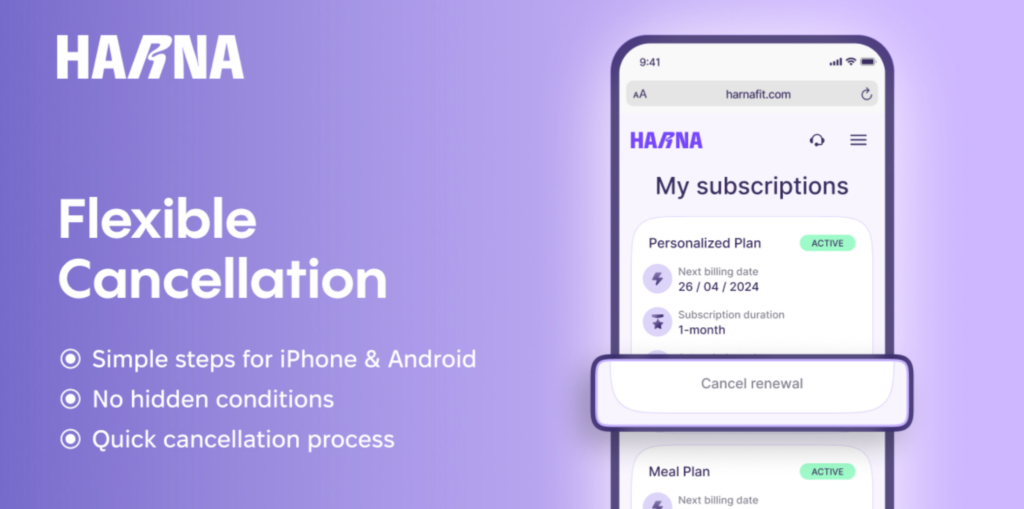
Cancelling Harnafit subscription doesn’t take much effort and time. Although some users may consider it confusing, you can easily complete it with a couple of steps. The process also depends on the way you purchases the subscription: website, App Store or Google Play.
Inside the App
If you subscribed via the Harnafit website:
- Log in to your Harnafit account
- Open Account Settings
- Go to Subscription
- Tap Cancel Subscription
- Confirm cancellation
You will receive a confirmation email after completing the process.
Via App Store (iPhone/iPad)
Users who purchased a subscription via App Store, need to follow these steps:
- Open Settings on your iPhone
- Tap your Apple ID
- Go to Subscriptions
- Find Harnafit
- Tap Cancel Subscription
As with other methods, your subscription will remain active until the billing date.
Via Google Play (Android)
With the Google Play subscription, you also should cancel via your phone settings:
- Open Google Play
- Tap your profile icon
- Go to Payments & subscriptions
- Open Subscriptions
- Select Harnafit
- Tap Cancel subscription
Remember, that the subscription should be cancelled at least 24 hours before the billing date to avoid future charges.
Alternative Ways to Cancel
In addition to the aforementioned ways, you can also request a cancellation via email (support@harnafit.com), contact form.
When using these methods, you need to leave your email, describe the reason for cancellation, and submit the request. In addition, you can also request Harna refund, if you meet the eligibility criteria.
Harnafit support will gladly help identify and cancel the subscription if you can’t find it or the cancellation button.
FAQ
How do I cancel Harnafit subscription?
You can do it via the app, App Store, Google Play or ask for assistance from the support team. Log in to your account, open the settings, find the Subscription and tap on Cancel.
Will I get a refund after canceling?
Cancellation doesn’t automatically mean the refund of previous payments. You need to cancel the subscription first, and only then request a refund, if needed.
Is Harnafit a scam?
No, as the Harnafit app complies with GDPR and PCI DSS, which guarantees the safety of users’ personal data and financial info. The pricing policy and subscription terms are clear and transparent.
Conclusion
The cancellation process of Harnafit subscription is clear and takes only 1-2 minutes if you know how to do it. No matter where you purchased your plan, website, App Store, or Google Play, you can easily cancel with a few steps:
- Log in to your account in the app or in the Store
- Go to Settings and find Subscription
- Choose Harnafit and click Cancel
After the cancellation, you’ll get a confirmation email. Don’t forget that the subscription should be cancelled 24 hours before the payment date.