Most drivers open a map app every working day. It finds the address, reads the traffic and talks them through the turns. That covers the majority of journeys people make. It does not cover a day with forty deliveries on it.
Navigation apps and route planning tools look alike from the outside. Both show a map, both give directions, both live on a phone. The work they do underneath is not the same. This article explains the difference and when it starts to matter.
Two Tools Built for Different Jobs
A navigation app answers a question about one journey. It assumes you already know where you are going next. Route optimization software answers a different question entirely. It decides the order of your stops before you leave.
Navigation Answers One Question
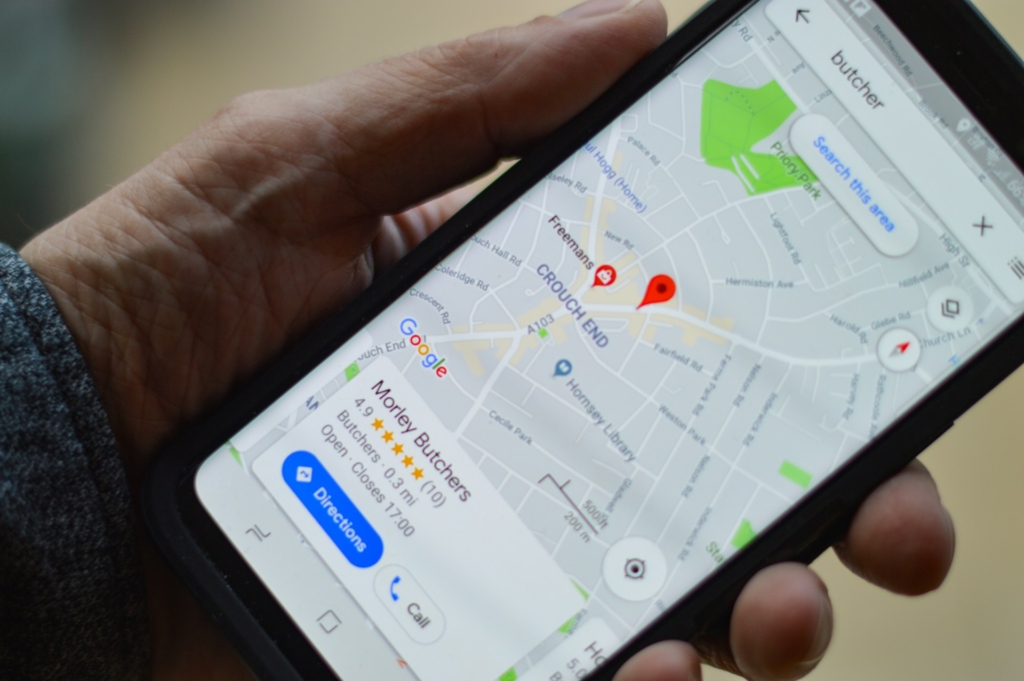
Map apps are built around a single pair of points. You have a start and a finish, and the app finds the fastest path. It watches traffic and adjusts the road choice along the way. That is genuinely useful and it works well.
The design assumes a driver who knows their destination. For a commute or a trip to an unfamiliar address, that assumption holds. For someone making thirty drops, it falls apart quickly. The app has no opinion about which drop should come first.
Planning Answers a Different One
A planning tool starts with the full list. It looks at every address together before drawing any lines. Then it works out the sequence that covers them in the least time. Navigation happens afterwards, once the order is settled.
That difference in starting point changes everything downstream. One product optimizes a single leg. The other optimizes the whole day. Both are useful, but they are not interchangeable.
Where Navigation Apps Hit Their Ceiling
Map apps do not fail dramatically. They simply stop being the right instrument for the task. Drivers usually notice this through frustration rather than error messages. Two limits cause most of it.
The Stop Limit Arrives Fast
Google Maps caps a route at ten points, and that total includes your start and finish. In practice you get nine destinations. A driver leaving a depot with eight drops and a return trip has already filled it. The option to add another stop disappears.
The usual workaround is splitting the list into batches. You plan ten, drive them, then build the next ten. That works, but it eats time at the start of every batch. It also means no single view of the whole day exists.
Order Is Left to You
The larger limitation is quieter. Map apps follow the sequence you type in. They do not rearrange your stops into a better order. If you enter addresses in the order they arrived, you drive them that way.
Most drivers correct for this by hand. They group stops by area and drag them around until the route looks sensible. That guesswork is reasonable at eight stops. At thirty it becomes very hard to do well.
A map app is a navigation tool that happens to accept several addresses. It was never designed to solve the ordering problem.
What Planning Tools Add
Route planners exist because the ordering problem is worth solving. The savings compound across a full shift rather than a single leg. They also matter more than most operators expect. The final stretch of any delivery is the costly one.
Sequencing Across the Whole Day
According to Statista, last-mile delivery rose from 41 percent of total shipping costs in 2018 to 53 percent in 2023. That is where inefficient sequencing does its damage. A planner builds the order once and covers every address. Backtracking disappears because nothing was guessed.
Handling Change Mid-Route
Real days rarely match the morning plan. Customers cancel, addresses turn out to be wrong, and urgent jobs appear. A planning tool lets you move a stop and recalculate what follows. Arrival times update across the remaining sequence.
A map app cannot do this meaningfully. You can delete a destination, but nothing reconsiders the order. The rest of the day stays as you originally typed it.
Keeping a Record
Planners also remember what happened. They log which stops were completed and when. Photos, signatures and notes attach to the right address. That record settles disputes without anyone relying on memory.
Navigation apps keep no meaningful history of a working day. Once the trip ends, the information is gone.
Which One Do You Actually Need?
Neither product is better in the abstract. The right answer depends entirely on how many stops you handle. Most drivers can identify their own situation quickly. The switching point is fairly clear.
When Navigation Is Enough
A map app covers your needs if your day looks like this:
- You visit fewer than eight addresses in a shift.
- You already know the sensible order of those stops.
- Your schedule rarely changes once you leave.
- You do not need proof that a drop happened.
When It Stops Being Enough
The signals that you have outgrown navigation are consistent:
- You spend twenty minutes each morning arranging addresses.
- You split your list across several separate routes.
- You find yourself driving back past earlier stops.
- You cannot tell customers a reliable arrival time.
- You rely on memory to prove a delivery was completed.
Three or more of those usually mean the sequencing problem now costs real money. That is the point where a planning tool pays for itself.
Plenty of drivers sit comfortably in the first group. The mistake is staying there after the workload has moved.
Final Thoughts
Navigation apps are excellent at what they were built for. They find a road, read the traffic and get one journey right. Nobody should abandon them, and planning tools usually hand the driving back to them anyway. The two products work together rather than competing.
The confusion costs drivers time because the tools look so similar. A map app will happily accept several addresses and give you directions. It will not tell you that your order is wrong. It has no view of the day as a whole.
If your work involves a handful of stops, keep what you have. If you are dragging addresses around a screen each morning, the tool has stopped matching the task.