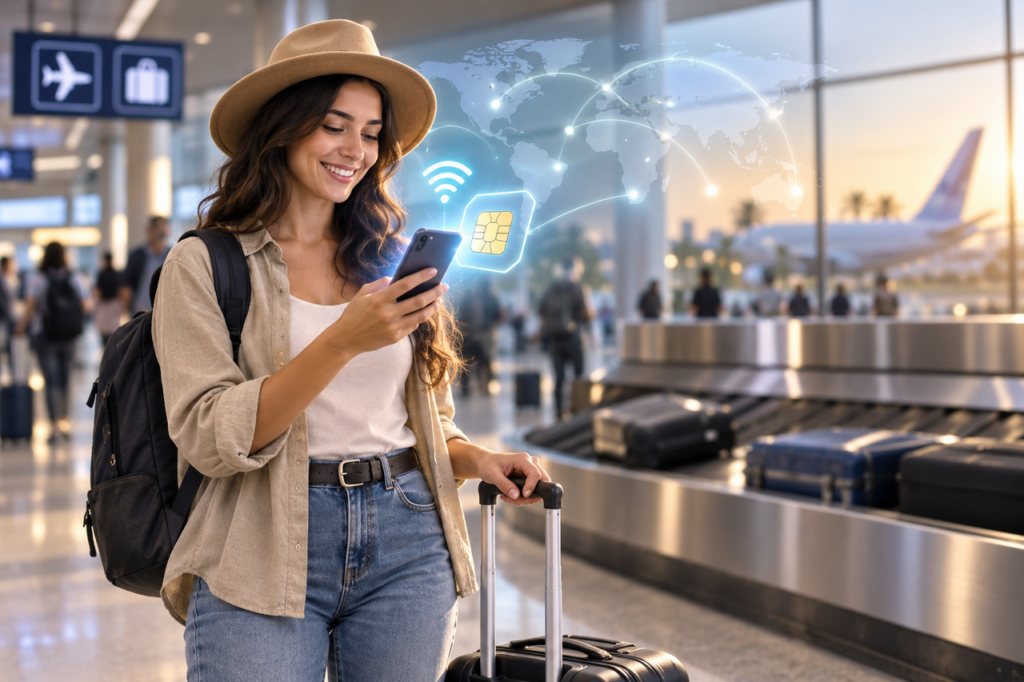
An eSIM is a digital SIM card built into your phone, and it has quietly become the easiest way to get online the minute you land somewhere new. No shop to find, no paperclip to dig out, no tiny plastic card to swap and lose. You download a plan, scan a code, and your phone is connected before you have even reached baggage claim.
If you travel more than a couple of times a year, that changes things. So here is the honest, no-jargon version: what an eSIM actually is, how it works, and why so many travelers now set one up before they even leave home.
What an eSIM is, in plain terms
An eSIM (short for embedded SIM) is a tiny reprogrammable chip built into your phone at the factory. It does exactly what the plastic SIM in your phone does today, holding the details that connect you to a mobile network, but you can’t lose it and you never have to pop open a tray to reach it. Because the standard is set worldwide by the GSMA, the body that represents mobile operators, the same chip talks to Apple, Samsung, Google and hundreds of carriers.
It is catching on quickly. The GSMA expects eSIM to jump from around 5% of smartphone connections at the end of 2025 to 10% a year later, doubling in twelve months. Travel is a big reason: Juniper Research puts travel eSIM users at 40 million in 2024, rising past 215 million by 2028.
eSIM vs. the physical SIM card
With a physical SIM, changing networks means buying a card, waiting for it, and swapping it by hand. With an eSIM, the card is already inside your phone and you just install a new profile over the internet. One is hardware you fumble with; the other is software you download in a couple of taps. And because most phones run an eSIM and a physical SIM side by side, you can carry two numbers at once, which is exactly where things get useful for travelers.
How an eSIM actually works
Buy an eSIM plan and the provider hands you a QR code or an activation link. Your phone scans it, checks in with a secure server, and pulls a carrier profile onto that embedded chip. Over Wi-Fi, the whole thing is usually done in under two minutes. It feels a lot like installing an app, and once the profile is live your phone hops onto the network and data starts flowing, with nothing to collect and nothing to ship.
Why travelers are switching to eSIM
The numbers match what frequent flyers already sense: in a GSMA survey, 51% of eSIM users said their first time was on a trip abroad. A few reasons keep coming up.
Keep your home number, add local data
Since most modern phones handle two SIMs at once, you can keep your usual number live for calls and texts while a travel eSIM carries your data at local prices. You stay reachable for family and work, and you skip the roaming bill that used to arrive after every trip.
Set it up before you fly
You can add an eSIM at home, days ahead, while you are still on your own Wi-Fi, so there is nothing to do at the airport but switch it on. That is really the whole appeal: buying an esim card on your phone the night before instead of standing in an arrivals queue looking for a working kiosk.
A real example: staying connected on a trip to Jamaica
Picture yourself landing in Montego Bay. You have two good options. If you want a local line on the island’s own network, you can find out what an eSIM is and how it works with a provider like Flow, switch on a prepaid or postpaid plan on a compatible phone, and be online with a Jamaican number within minutes. Prefer to keep your own number and just bolt on a travel bundle? Then it pays to check Flow international roaming before you travel, because a flat-rate zone plan almost always beats standard roaming on price. Either way, a quick search for “esim jamaica” or “e sim jamaica” before you fly means you land with a plan already sorted instead of chasing a signal at the gate.
Is your phone eSIM ready?
Odds are, yes. Every iPhone since the XS in 2018 supports eSIM, as does every Samsung flagship since the Galaxy S20 in 2020 and every Pixel since the 3. If your phone is newer than that and unlocked, you are almost certainly set. To be sure, open your settings and look for “Add eSIM” or “Add Mobile Plan,” or check the compatibility list on your provider’s site before you pay.
eSIM vs. physical SIM at a glance
| Feature | eSIM | Physical SIM |
| Setup | Scan a QR code, ready in minutes | Buy and insert a plastic card |
| Losing It | Impossible, it is built in | Easy to misplace or damage |
| Switching Networks | Download a new profile | Order and swap a new card |
| Travel | Add a local plan before you land | Usually bought on arrival |
| Two Numbers | Yes, eSIM plus a physical SIM | One card at a time |
Frequently asked questions
Do I need Wi-Fi to set up an eSIM?
For the first download, yes. You install the profile over Wi-Fi or an existing data connection, ideally before you travel. After that it runs on the mobile network like any other SIM.
Can I use an eSIM and my normal SIM at the same time?
On most modern phones, yes. Dual SIM lets your home number stay live for calls and texts while the eSIM handles your data, which is the setup most travelers end up preferring.
Is an eSIM cheaper than roaming?
Usually. A local eSIM plan or a flat-rate roaming bundle tends to cost far less than pay-per-use roaming, where a single gigabyte can run into the thousands in local currency. Compare the options for your destination before you leave.