An IT degree can prepare graduates to work with the systems businesses increasingly depend on, and employee absence management software is a practical example of how technology is reshaping everyday workforce operations.
Instead of HR teams relying on spreadsheets, long email chains, and manually updated calendars, modern platforms can centralize leave requests, attendance information, approvals, staffing data, and reporting in one digital environment.
For students pursuing an IT degree, understanding how business software connects users, databases, security controls, and automated workflows can provide useful context for the systems they may eventually support.
Workforce technology may look like an HR concern on the surface, but behind every leave request is an information system that needs to remain secure, accurate, available, and easy to use.
Why Absence Management Has Become a Technology Issue
Managing employee absences sounds simple until an organization has hundreds or thousands of workers spread across departments, locations, and schedules.
Consider a company where one employee requests vacation, another calls in sick, and a third begins an extended leave during the same week.
Managers need to know who is available, HR may need accurate records, payroll may require updated information, and colleagues may need schedules adjusted before deadlines are affected.
When those details are scattered across emails and spreadsheets, even a minor data-entry error can create confusion.
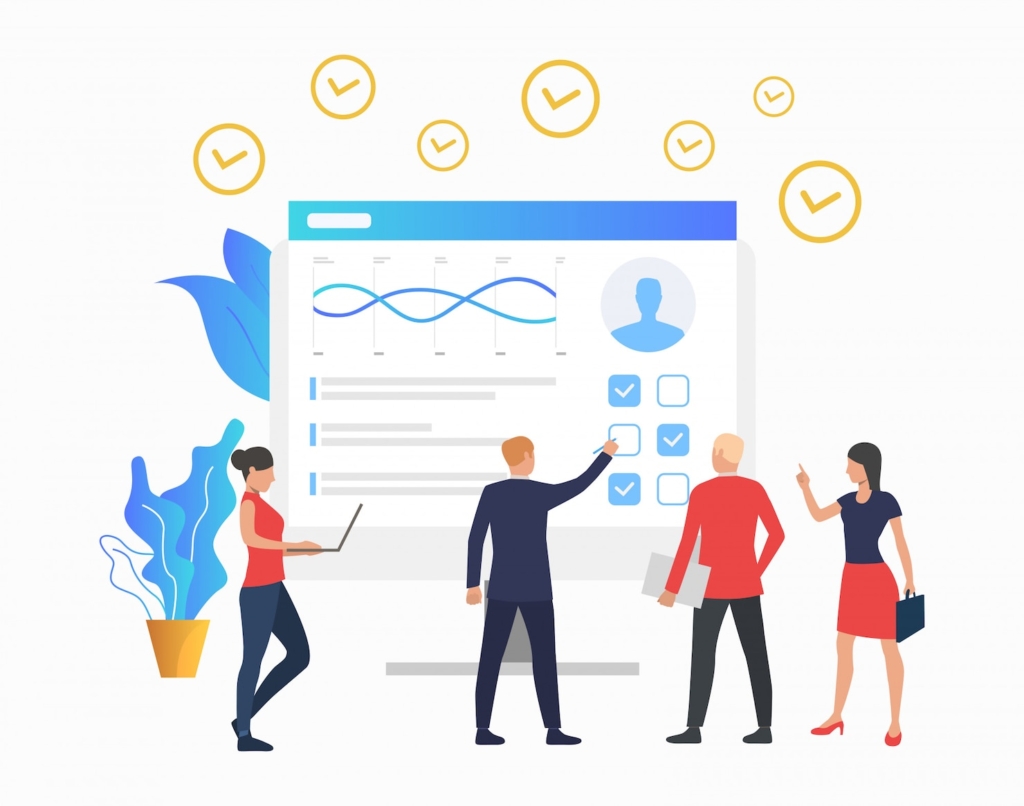
Employee absence management platforms bring those moving pieces together by creating a centralized system for submitting, approving, recording, and reviewing time away from work.
For technology professionals, that means workforce management increasingly involves absence management software, software administration, data integration, access management, troubleshooting, and system security.
Automation Is Replacing Repetitive Administrative Work
One of the biggest changes brought by absence management technology is automation.
In a manual process, an employee might email a supervisor, the supervisor forwards the request to HR, someone updates a spreadsheet, and another person enters the information into a scheduling or payroll system.
Every additional step creates another opportunity for information to be delayed, overlooked, or entered incorrectly.
A digital workflow can route a request to the correct manager automatically, record the approval, update relevant records, and notify the employee without requiring several people to repeat the same administrative tasks.
What IT Professionals Do Behind the Workflow
Automation does not mean the technology manages itself.
Someone still needs to configure user accounts, permissions, integrations, authentication methods, notifications, and other system settings.
Suppose a newly promoted department manager suddenly cannot approve leave requests for the employees now reporting to her.
The visible problem is an HR workflow issue, but the underlying cause might involve role-based permissions, incorrect organizational data, synchronization problems, or a configuration error.
An IT professional needs to investigate where the process failed and correct it without accidentally giving the manager access to information she should not see.
That combination of troubleshooting and access control is where technical training becomes directly relevant.
Data Integration Is Becoming More Important
Workforce software rarely operates completely on its own.
An absence management platform may need to exchange information with payroll software, scheduling applications, HR information systems, identity management tools, or reporting platforms.
Imagine an employee whose approved unpaid leave appears correctly in the HR system but never reaches payroll.
The employee could receive an incorrect paycheck even though each individual application appears to be functioning normally.
The actual problem may sit between the systems.
Understanding databases, application connections, data flows, networking, and system administration can help technology teams investigate these situations methodically.
Graduates entering business technology environments therefore benefit from seeing software as part of a connected ecosystem rather than as a collection of isolated applications.
Cybersecurity Matters When Employee Data Is Involved
Workforce management systems can contain sensitive employee information, making security an essential consideration.
Different users should have access only to the information required for their responsibilities.
An employee may need to see personal leave balances, while a supervisor may need information about team availability and HR administrators may require broader organizational access.
Giving every user the same permissions would create unnecessary security and privacy risks.
Technology teams may help implement authentication controls, account permissions, software updates, audit processes, and other safeguards that reduce unauthorized access.
This is one reason cybersecurity fundamentals are valuable even for graduates who do not plan to become dedicated security specialists.
Security decisions are woven into ordinary system administration.
Cloud-Based Systems Have Changed Technical Support
Many workforce applications now operate through web-based or cloud environments rather than software installed exclusively on individual office computers.
That shift changes the types of problems support teams encounter.
If an employee cannot access an absence management portal, the issue might involve a browser, internet connection, account credentials, multifactor authentication, single sign-on, user permissions, or the application itself.
A good technician does not immediately assume the platform is broken.
Instead, the technician gathers information and systematically eliminates possible causes.
Can the employee access other company applications?
Does the problem occur on another device?
Can other members of the department sign in?
Was the employee’s account or role recently changed?
These questions turn a vague complaint such as “the HR site isn’t working” into a problem that can actually be diagnosed.
Workforce Analytics Depends on Reliable Information
Modern absence management platforms can also help organizations identify patterns in workforce availability.
Managers may review absence frequency, departmental staffing levels, seasonal trends, or scheduling pressures when planning workloads.
However, reports are useful only when the underlying information is reliable.
If duplicate employee records exist or data fails to synchronize between systems, a polished dashboard can still produce misleading results.
Technology professionals therefore play an important role in maintaining data quality, integrations, system availability, and consistent configurations.
The lesson for new graduates is straightforward: information technology is not simply about keeping computers running.
It is also about making sure organizations can trust the information their systems produce.
User Experience Is Part of Successful Technology
A technically impressive platform can still fail if employees find it confusing.
Picture an employee trying to request two days off but encountering unclear menu labels, repeated login prompts, or an approval status that never updates.
The underlying system may technically be operational, yet the user’s experience says otherwise.
IT support professionals often sit between software and the people expected to use it.
They hear the recurring complaints, identify patterns, document technical issues, and sometimes work with administrators or vendors to improve configurations.
That makes communication particularly valuable for technology graduates.
Explaining a problem clearly to a frustrated employee can matter almost as much as finding the technical solution.
What This Means for IT Degree Graduates
Graduates entering technology careers may imagine spending most of their time configuring computers, managing networks, or troubleshooting hardware.
Those responsibilities still exist, but modern IT environments increasingly revolve around interconnected business applications.
HR platforms, customer relationship management tools, financial software, collaboration systems, cloud services, and workforce management applications all depend on technical infrastructure and ongoing support.
This creates opportunities for graduates who can understand both the technology and the business process it supports.
A technician investigating an absence management problem, for example, needs to understand not only whether the application is online but also what the user was trying to accomplish and which systems should have received the resulting information.
Building Skills That Transfer Across Business Systems
Students do not necessarily need to master a particular absence management platform before entering the workforce.
Specific applications change, and employers may use entirely different vendors.
More durable skills include networking fundamentals, operating systems, database concepts, cybersecurity, cloud technologies, user support, troubleshooting, and documentation.
These foundations help graduates adapt when they encounter unfamiliar software.
If someone understands how authentication, permissions, databases, integrations, and networks interact, learning the interface of a new business application becomes much more manageable.
That adaptability is especially useful in workplaces where software stacks evolve frequently.
Technology Is Changing Workforce Management From the Inside
Employee absence management software shows how deeply technology has become embedded in ordinary business operations.
A process that once depended heavily on paperwork, spreadsheets, and manual updates can now involve automated workflows, cloud infrastructure, system integrations, analytics, and carefully controlled access to employee information.
For an IT degree graduate, these systems represent more than another piece of software to support.
They demonstrate how technical decisions can affect payroll accuracy, staffing visibility, employee experiences, data security, and everyday business continuity.
Graduates who understand that connection between technology and real organizational needs can bring a broader perspective to modern IT roles, whether they eventually work in technical support, systems administration, cloud operations, networking, cybersecurity, or enterprise applications.